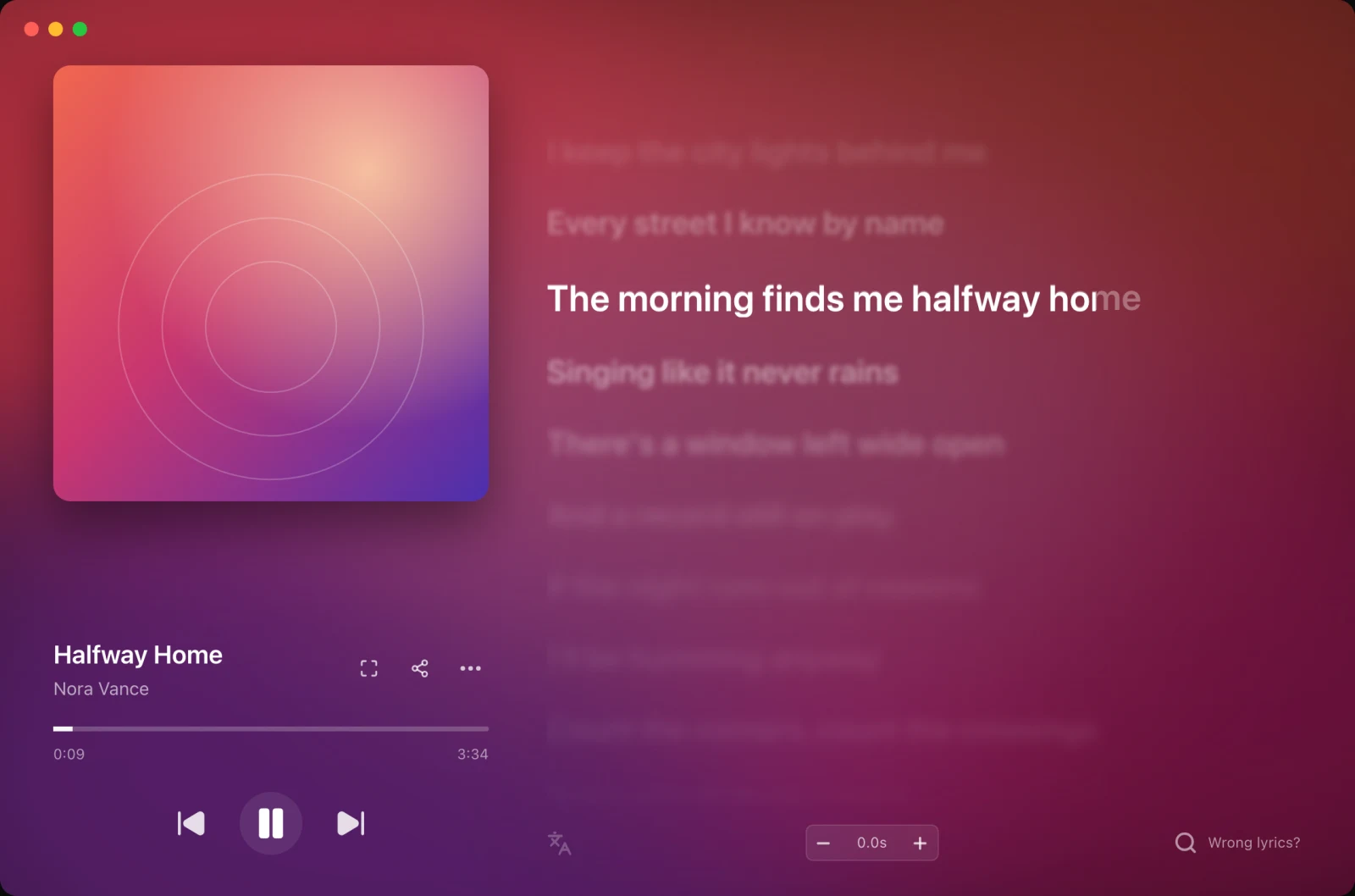
ہر میوزک ایپ
Spotify، Apple Music، TIDAL، آپ کا براؤزر یا کمپیوٹر میں موجود گانے: 9xLyrics جو چل رہا ہے اس کے ساتھ چلتا ہے اور بول بالکل وقت پر دکھاتا ہے۔
اپنی پسندیدہ میوزک ایپ کی پیروی کریں یا وقت کے ساتھ دھن کے ساتھ 9xLyrics میں مقامی گانے چلائیں۔ مقامی پلے بیک، سننے کی تاریخ اور معیاری بول ونڈو مفت ہیں۔ ڈیسک ٹاپ اوورلیز پرو ہیں۔ گیت اور میٹا ڈیٹا کی تلاش آن لائن ذرائع سے رابطہ کرتی ہے۔
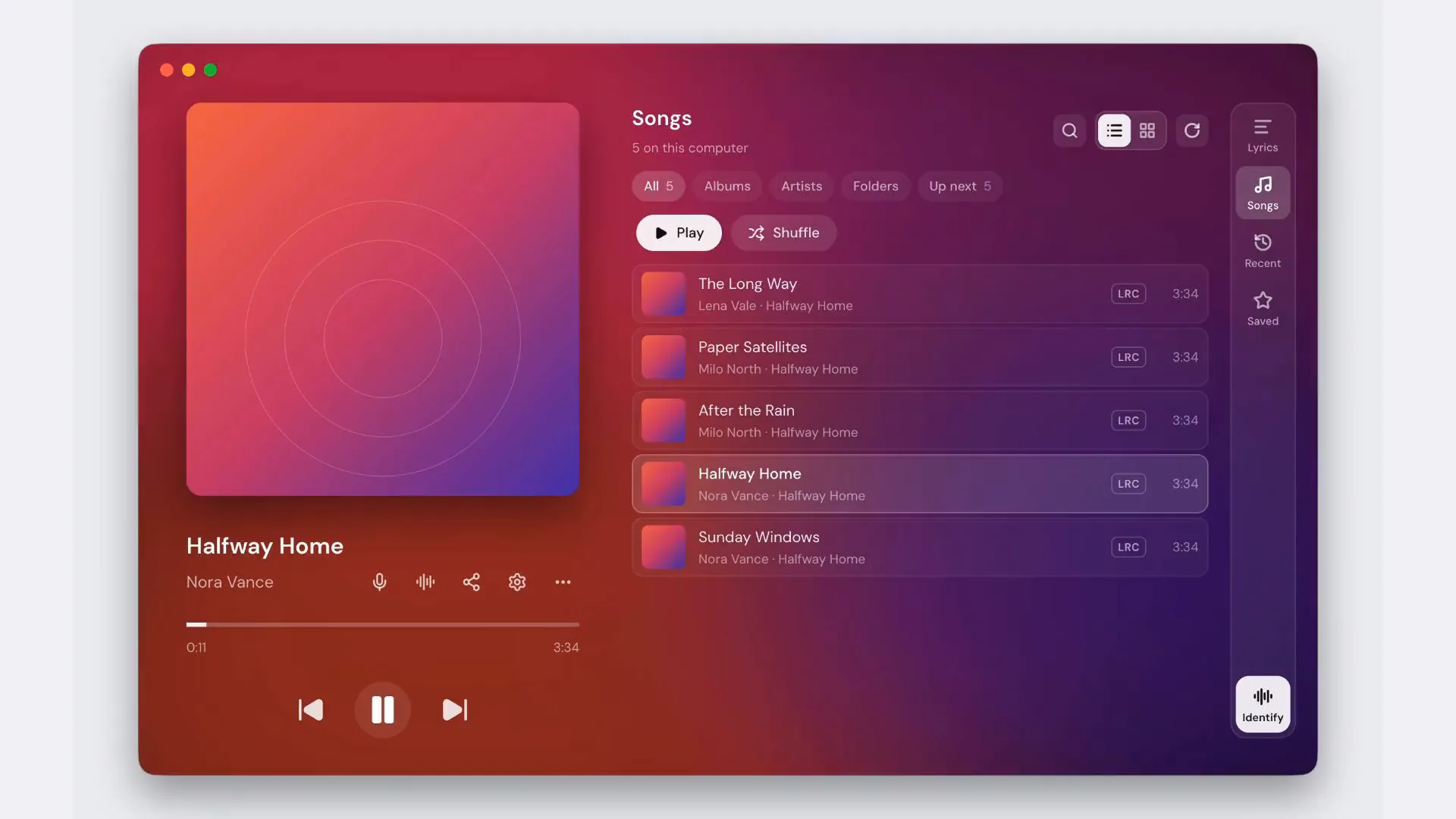
وہ سطح منتخب کریں جو آپ کے پاس موجود اسکرین پر فٹ بیٹھتی ہے، ایک پینل سے آپ ایک نظر میں پورے گانے کو کلک-ٹو-سیک کے ساتھ پڑھ سکتے ہیں۔
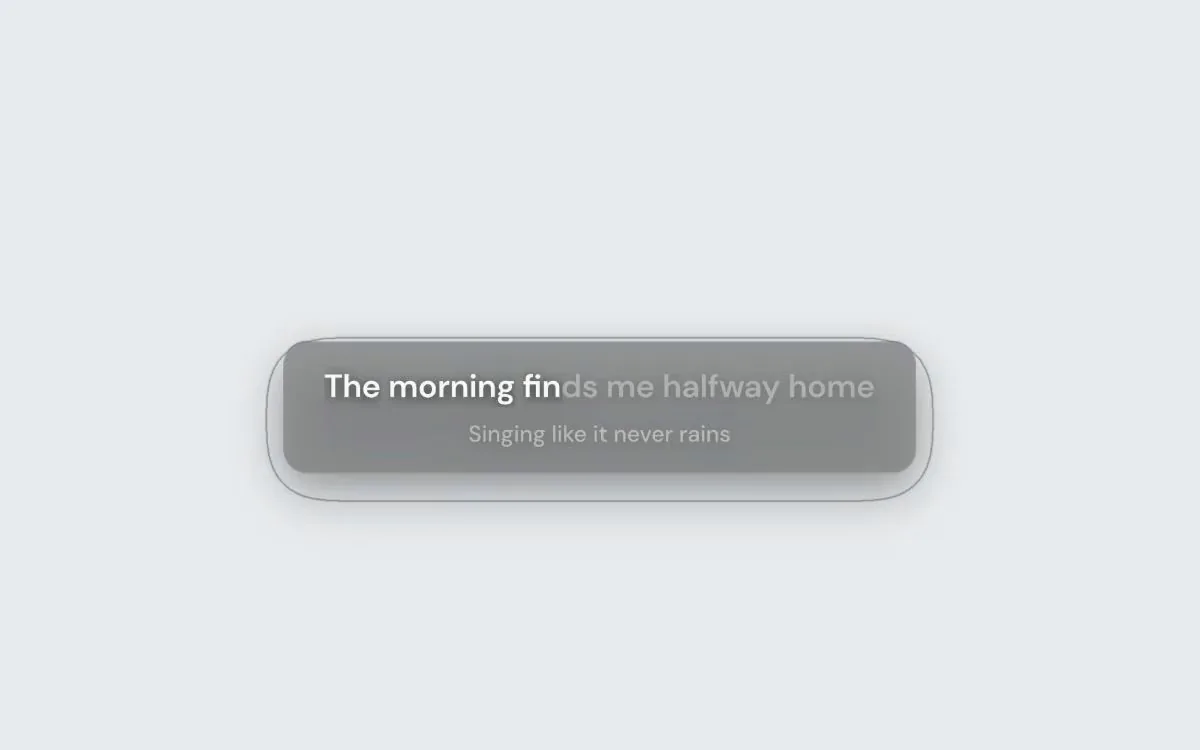
چلتی ہوئی سطر آپ کی دوسری ونڈوز کے اوپر، اور چاہیں تو ہر ڈسپلے اور ہر ورک اسپیس پر۔ اسے ہمیشہ سب سے اوپر رکھیں، یا جب کوئی فل اسکرین ایپ سامنے ہو تو اسے چھپ جانے دیں۔ ہر کلک کو اس کے آر پار جانے دیں، یا پوائنٹر آنے پر اسے مدھم ہونے دیں۔ دونوں بند ہوں تو ٹول بار کے لیے اس پر ہوور کریں، اسے کہیں بھی گھسیٹیں اور جگہ لاک کر دیں۔
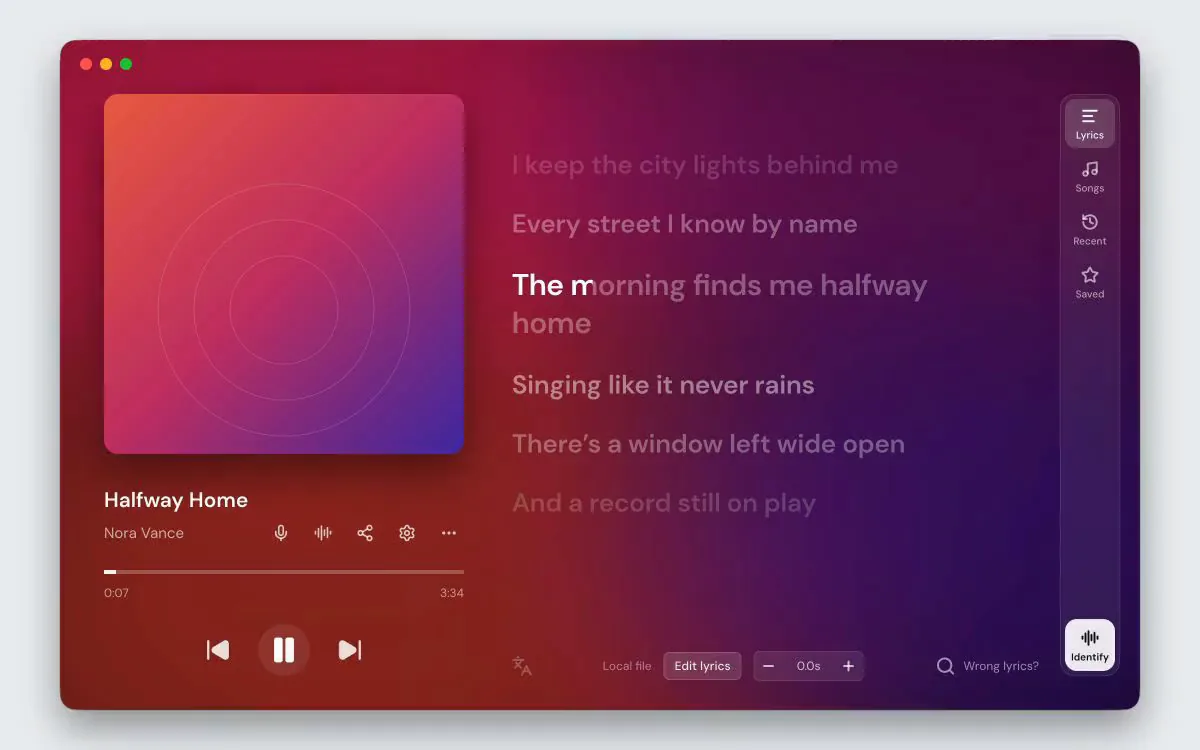
ہر سطر کو پڑھیں، اپنے پسندیدہ کو تلاش کرنے اور رکھنے کے لیے کلک کریں۔ مقامی موسیقی چلانے کے لیے گانوں کا استعمال کریں، سننے کی تاریخ کو دوبارہ دیکھنے کے لیے حالیہ اور ستارے والی لائنوں کے لیے محفوظ کریں۔ یہ مناظر مفت ہیں؛ دھن، البم کے رنگ اور آرٹ ورک کے پس منظر میں ترمیم کرنے کے لیے پرو کی ضرورت ہوتی ہے۔
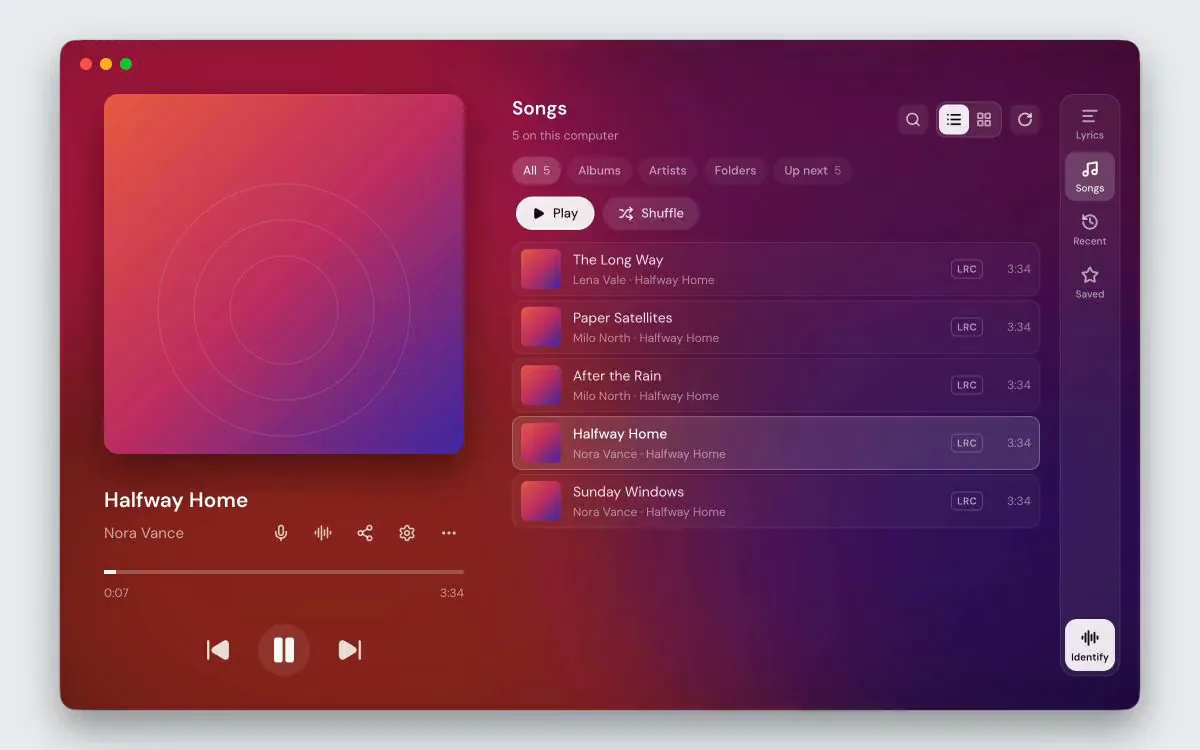
اس کمپیوٹر پر گانے چلائیں، البمز، فنکاروں اور فولڈرز کو براؤز کریں، اور شفل، دہرائیں اور اگلا کا نظم کریں
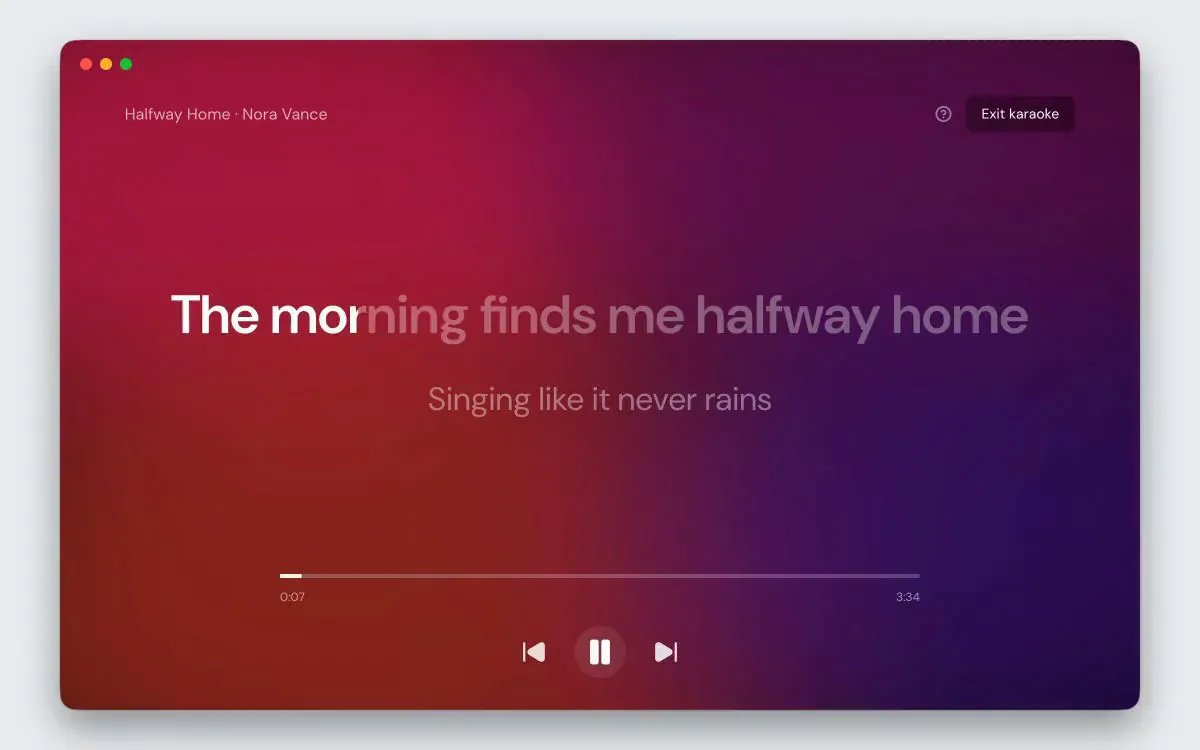
موجودہ لائن اتنی بڑی ہے کہ ایک کمرے میں پڑھی جا سکتی ہے، جیسے ہی اسے گایا جاتا ہے۔ فی لفظ ٹائمنگ کے ساتھ گیت لفظ بہ لفظ روشن کرتے ہیں۔ باقی لائن بھر میں جھاڑو. تلاش اور ٹرانسپورٹ اب بھی کام کرتی ہے۔
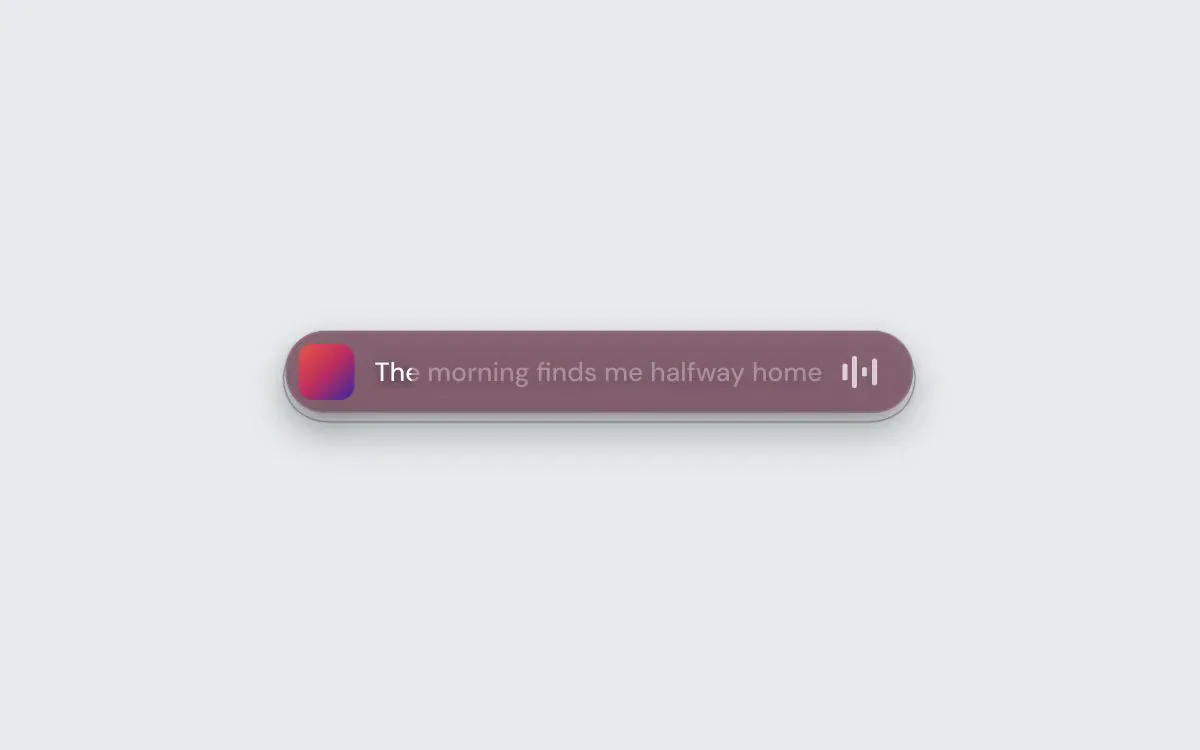
اسکرین کے کنارے سے شروع ہونے والی گولی میں کور، بول اور لیول میٹر۔ پلے بیک کنٹرولز اور ڈریگ ہینڈل کے لیے ہوور کریں، یا کلک تھرو کو آن کریں تاکہ ہر کلک پیچھے کی کھڑکی تک پہنچتے وقت نظر آتا رہے۔ اسے کہیں بھی منتقل کریں اور اس کی پوزیشن کو مقفل کریں۔
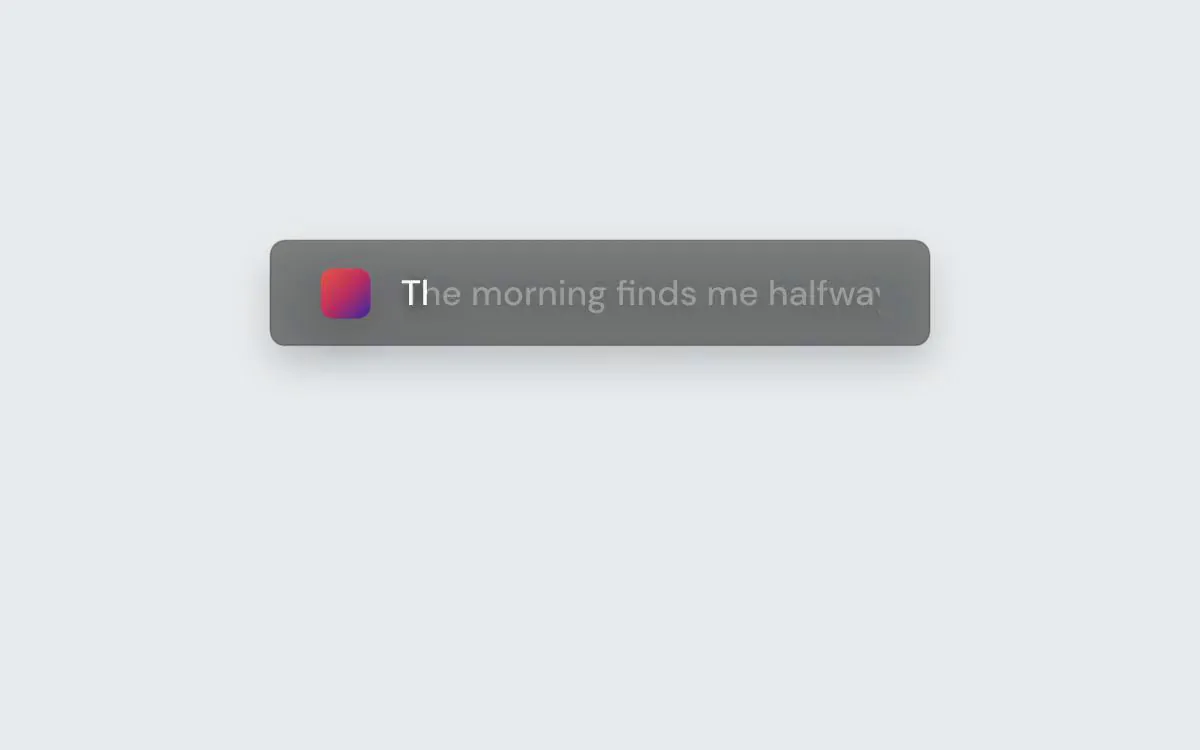
اوپر یا نیچے کنارے کے ساتھ ایک پتلی بینڈ۔ کلکس پہلے سے طے شدہ طور پر اس سے گزرتے ہیں، لہذا یہ دوسری کھڑکیوں پر بیٹھ سکتا ہے، یا پوائنٹر کے اس کے اوپر ہونے تک اسے ختم ہونے دیتا ہے۔
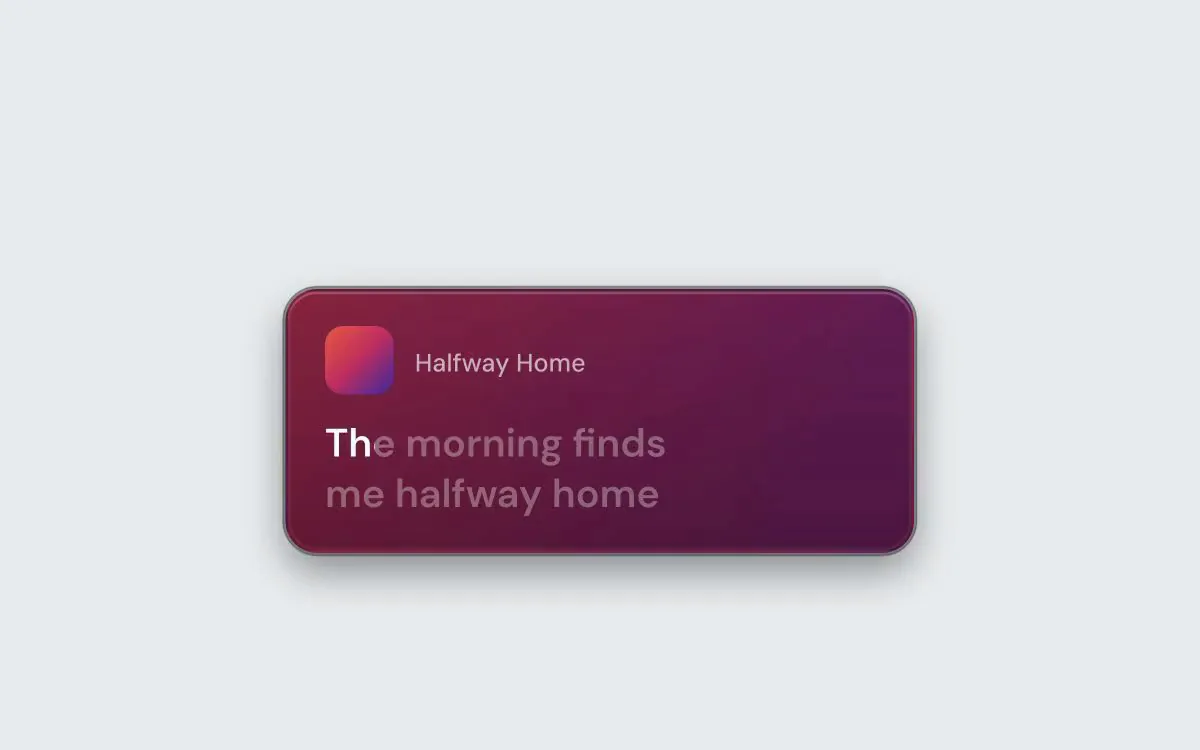
پلے بیک کنٹرولز اور ہوور پر ڈریگ ہینڈل کے ساتھ چار طرزوں میں ایک پلیئر کارڈ۔ اس کی پوزیشن کو لاک کریں، ہر کلک کو اس سے گزرنے دیں، یا ہوور پر پورے کارڈ کو دھندلا کر دیں۔
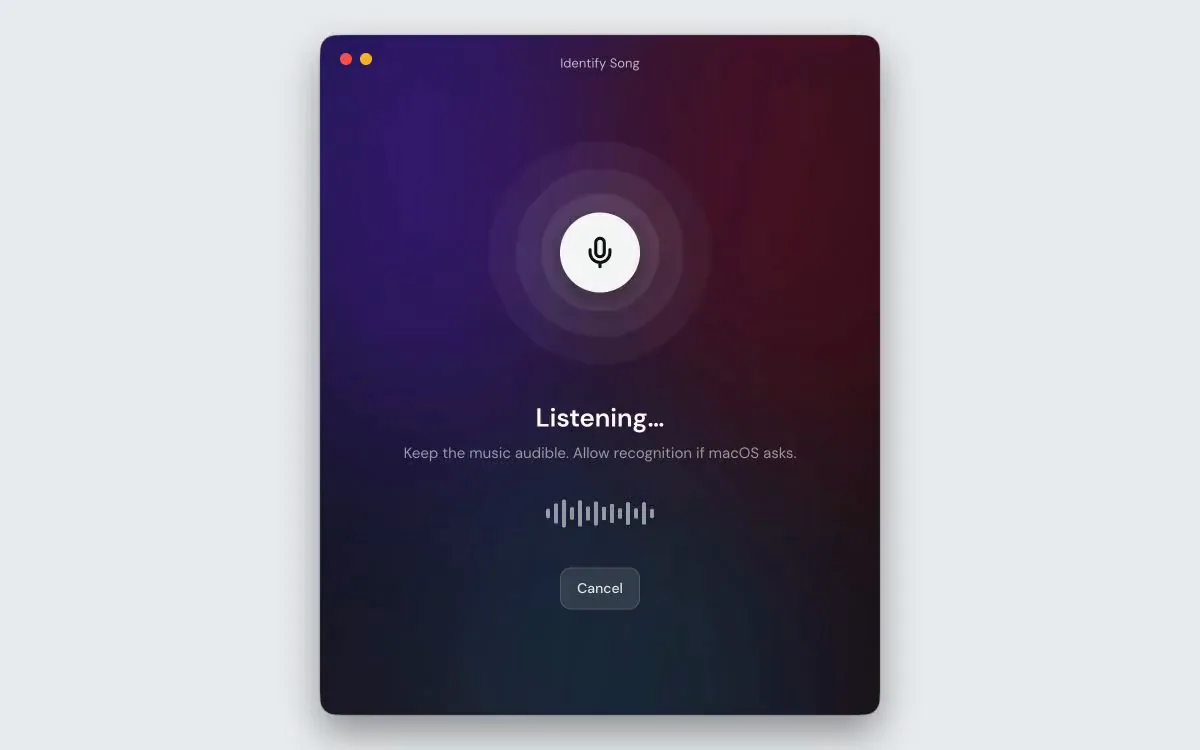
اس کمپیوٹر پر نہیں — کمرے میں۔ ایک اسپیکر، ایک کار، ایک کیفے۔ 9xLyrics اس ٹریک کو پہچانتا ہے جس میں کوئی ونڈو نہیں ہے: دھن صرف اس کی پیروی کرنا شروع کر دیتے ہیں۔ جب آپ پوچھتے ہیں تو یہ سنتا ہے، کمرے کے ساتھ صرف اسی صورت میں برقرار رہتا ہے جب آپ اسے بتائیں، اور لائبریری میں ہر میچ کی فہرست بناتا ہے۔
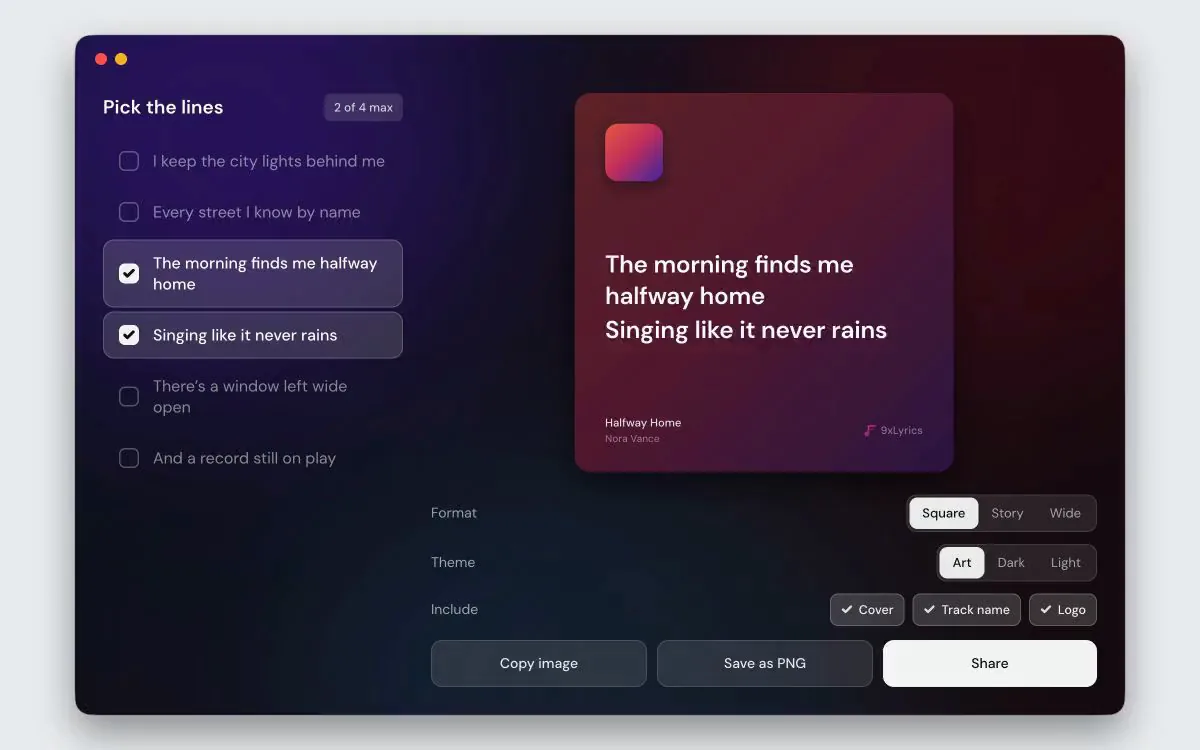
چار لائنوں تک نشان لگائیں اور گانے کے اپنے آرٹ ورک سے تیار کردہ کارڈ حاصل کریں، پوسٹ کے لیے مربع، کہانی کے لیے لمبا، کسی اور چیز کے لیے چوڑا۔ گانا بجانے سے یا لائبریری میں محفوظ کردہ لائنوں سے شروع کریں۔ اسے کلپ بورڈ میں کاپی کریں، اسے PNG کے طور پر محفوظ کریں، یا اسے شیئر شیٹ کے حوالے کریں۔
Spotify، Apple Music، TIDAL، آپ کا براؤزر یا کمپیوٹر میں موجود گانے: 9xLyrics جو چل رہا ہے اس کے ساتھ چلتا ہے اور بول بالکل وقت پر دکھاتا ہے۔
چلتی سطر کو اپنے کام کے اوپر تیرنے دیں، منی بار یا ایج پٹی لگائیں، ویجیٹ رکھیں یا پورا گانا کلک ٹو سیک کے ساتھ کھولیں۔ بول ونڈو مفت ہے؛ پرو ہر اوورلے شامل کرتا ہے۔
جو چل رہا ہے وہ آپ کے کمپیوٹر پر ہی پڑھا جاتا ہے اور کہیں نہیں بھیجا جاتا۔ آپ کی ہسٹری اور محفوظ سطریں کمپیوٹر پر ہی رہتی ہیں، اور بول تلاش کرتے وقت صرف گانے کی تفصیلات بھیجی جاتی ہیں۔
تمام جوابات جن کی آپ کو ضرورت ہے - سیٹ اپ اور خصوصیات سے لے کر قیمتوں اور سیکیورٹی تک۔
جی ہاں پرو میں پلے بیک سیٹنگز میں فالو میوزک پلیئر شامل ہے۔ معاون مقامی پلیئر کھولنے سے انسٹال کردہ ایپ کھل جاتی ہے۔ جب وہ کھلاڑی چھوڑ دیتا ہے، تو خود بخود کھلنے والا سیشن بھی چھوڑ دیتا ہے۔ جو سیشن آپ خود کھولتے ہیں وہ آزاد رہتا ہے۔ خودکار تمام معاون مقامی کھلاڑیوں کے چھوڑنے کا انتظار کرتا ہے۔ براؤزر ٹیبز اس ترتیب کو متحرک نہیں کرتے ہیں۔
خود کار طریقے سے آپ کے آپریٹنگ سسٹم کے ذریعہ رپورٹ کردہ موسیقی کی پیروی کرتا ہے، بشمول معاون براؤزر سیشنز۔ آپ Apple Music, Spotify, TIDAL, Deezer, Amazon Music, Qobuz, VLC, foobar2000 یا Windows Media Player کو بھی منتخب کر سکتے ہیں جہاں دستیاب ہو۔ کسی کھلاڑی کو منتخب کرنا اس ایپ تک معمول کا پتہ لگانے کو محدود کرتا ہے۔ سپورٹ اور پلے بیک کنٹرولز آپ کے آپریٹنگ سسٹم اور پلیئر پر منحصر ہیں۔
کئی گیت کے ذرائع سے، اس کے عنوان، فنکار اور لمبائی کے لحاظ سے گانے سے مماثل ہے۔ آپ کی اپنی .lrc فائلیں پہلے چیک کی جاتی ہیں اور آن لائن کسی بھی چیز کو شکست دیتی ہیں۔ جب خودکار مماثلت غلط ہوتی ہے، تو پرو آپ کو خود ذرائع تلاش کرنے، اپنی دھن کو پیسٹ یا لوڈ کرنے، یا YouTube ویڈیو کے کیپشن استعمال کرنے دیتا ہے، اور اس گانے کے لیے آپ کی پسند کو برقرار رکھتا ہے۔
ہاں، پرو کے ساتھ۔ دھن کا ایڈیٹر آپ کو الفاظ کو ٹھیک کرنے، لائنیں شامل کرنے یا حذف کرنے اور گانے کے چلنے کے ساتھ ہی ہر سطر کا وقت سیٹ کرنے یا گانے کے مطابقت پذیر ورژن سے وقت لینے دیتا ہے۔ تبدیلیاں خود کو محفوظ کرتی ہیں، اور آپ کے محفوظ کردہ دھن کسی بھی کھلاڑی کے لیے گانے کی پیروی کرتے ہیں۔
آپ کے گائے ہوئے گانوں کی دھن کی کھڑکی میں ایک مفت فہرست، آپ کے شناخت کردہ گانے اور آپ نے ستارے کی لکیریں۔ دوبارہ شروع کرنے کے بعد بھی، گانے کے بول دوبارہ پڑھنے کے لیے کھولیں۔ یہ آپ کے کمپیوٹر پر رہتا ہے؛ آپ اسے بند کر سکتے ہیں یا ترتیبات میں اسے صاف کر سکتے ہیں۔
جو چل رہا ہے اس کا پتہ لگانا مکمل طور پر آپ کے کمپیوٹر پر ہوتا ہے اور اسے کبھی بھی کہیں نہیں بھیجا جاتا ہے، اور لائبریری کی تاریخ آپ کے کمپیوٹر پر رہتی ہے۔ دھن تلاش کرنے سے گانے کی تفصیلات گیت کے ذرائع کو بھیجی جاتی ہیں۔ غیر ٹیگ شدہ مقامی گانے اپنی صاف شدہ فائل کا نام آن لائن میوزک کیٹلاگ میں بھیج سکتے ہیں۔ یوٹیوب لنک کا استعمال یوٹیوب سے اس ویڈیو کے کیپشنز کے لیے کہتا ہے۔ اختیاری گانے کی شناخت مائیکروفون کا استعمال کرتی ہے اور شناختی ڈیٹا کو ریکگنیشن سروس کو بھیجتی ہے۔
ایک منٹ میں شروع کریں۔ کوئی زبردستی ماہانہ فیس نہیں، کریڈٹ کارڈ کی ضرورت نہیں۔ آپ کے کمپیوٹر پر صرف تیز، طاقتور ٹولز۔
شروع کریں